Runs in your terminal — or in a native desktop app for Windows, macOS and Linux — with models included in your Koodla plan. See every step, approve every action, and keep usage under control.
See what it searches, reads, runs, and plans to change. Before a file is written, Koodla shows the diff and asks for your approval.
What every line means →Desktop app
Chat, project tree and one-click approvals in a window you keep open. Installs on Windows, macOS and Linux — and updates itself automatically. Works with the same account and plan as the terminal.
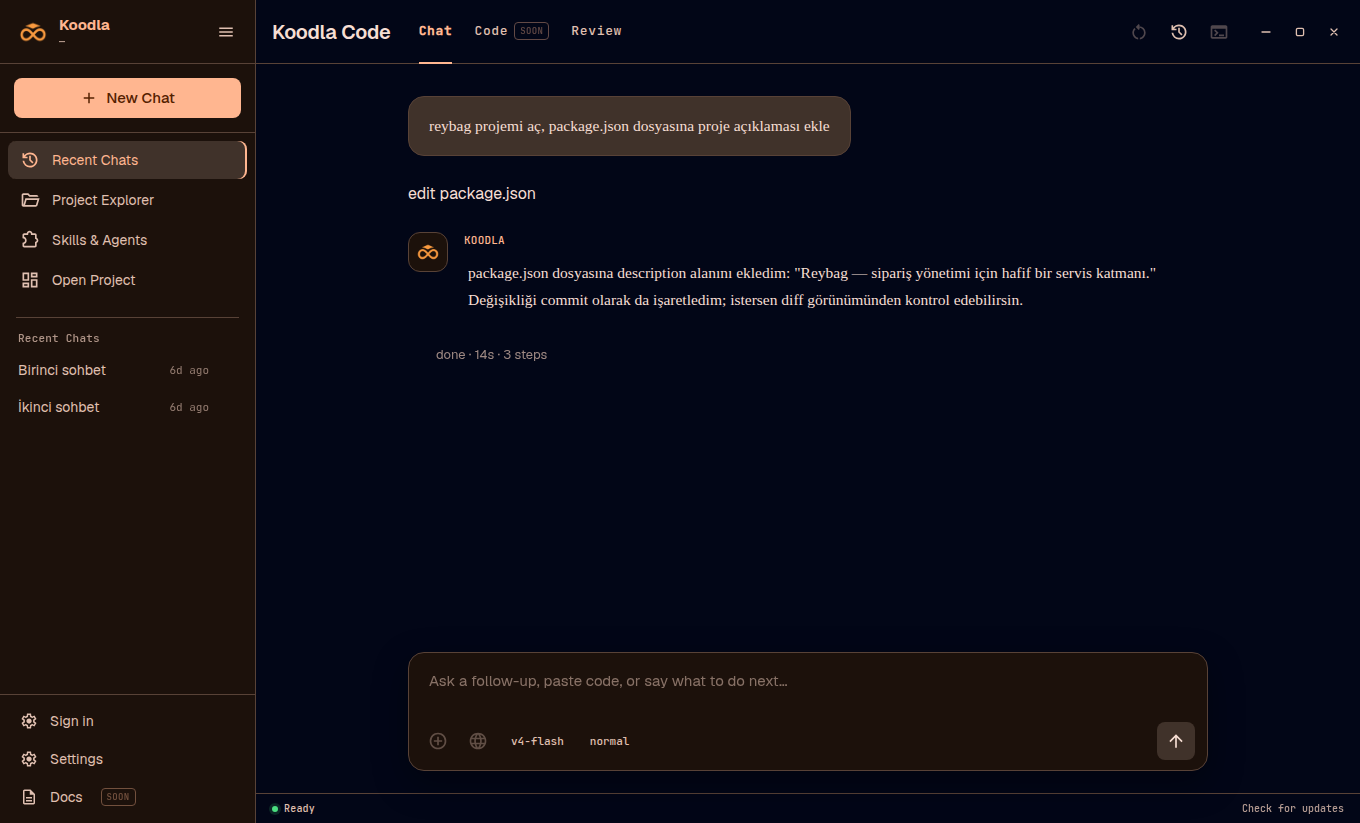
Prefer the terminal? The same account works in your shell — see the one-line install below.
Sign in once and use Koodla from your terminal. Model requests run securely through Koodla's servers.
Your plan includes model usage. Track what you have used and what remains from your account.
Use DeepSeek V4 Flash for speed or V4 Pro for harder work. More models are coming soon.
You do not migrate to a new editor. Keep the one you already use; the agent stays in the terminal.
In a controlled 12-task comparison, Koodla AI and another widely used coding agent both passed every test and changed the right file. Koodla used fewer turns and cost less on this set. More than 80 additional runs informed its design.
 AI
AIInstall Koodla, run it inside a project, and sign in through the secure browser page that opens. No provider API key is required.
curl -fsSL https://koodla.co/koodla/install.sh | bash
Then cd into a project and type koodla. Your browser opens to connect your account.
Update: koodla update ·
Remove: koodla uninstall